
6. Ask Sentinel
Ask Sentinel is a natural-language question box that answers from the same telemetry, diagnostics, and tickets already in VDURA Sentinel’s cloud; it does not reach out to a realm live to answer.
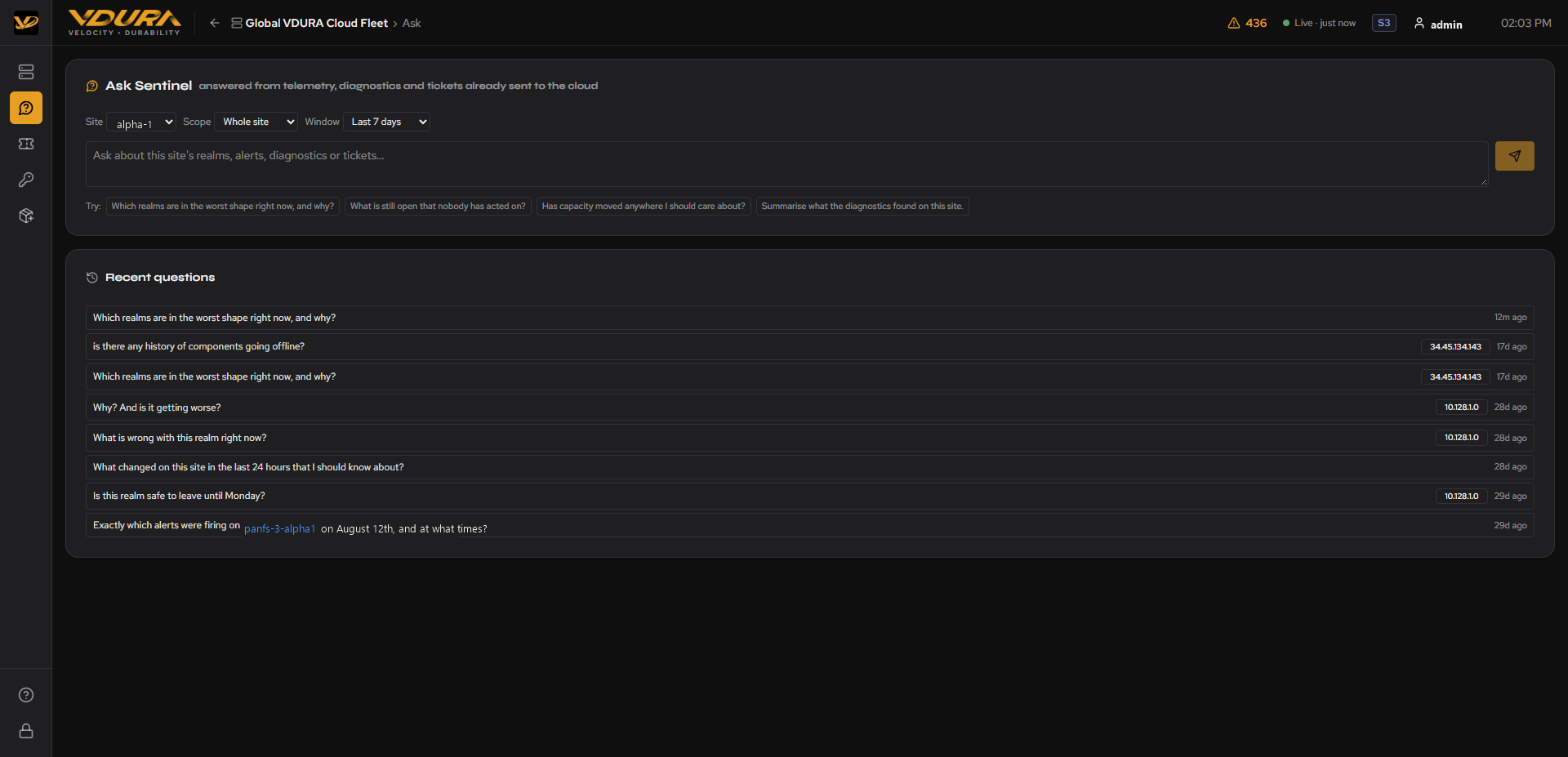 Figure 6.1. The Ask Sentinel page: Site/Scope/Window dropdowns, ask box, “Try:” suggestions, and Recent Questions.
6.1 Asking a Question
Three dropdowns scope the question before you type it:
| Field | Controls |
|---|---|
| Site | Which customer site to scope to (e.g. alpha-1). |
| Scope | “Whole site” or a specific realm within it. |
| Window | The lookback period (e.g. “Last 7 days”). |
Below the text box, a row of “Try:” suggested prompts offers one-click example questions (e.g. “Which realms are in the worst shape right now, and why?”, “Has capacity moved anywhere I should care about?”).
To ask VDURA Sentinel a question: 1. Navigate to Ask Sentinel in the left sidebar (or click Ask/Q&A page from a realm’s detail page header to arrive pre-scoped to that realm). 2. Set Site, Scope, and Window as needed. 3. Type a question in the text box or click one of the “Try:” suggestions. 4. Click the send (paper-plane) button or press Enter. 5. Wait for VDURA Sentinel to finish “Reading the evidence for this site…”; this can take several seconds.
6.2 Answer Format
Each answer is a plain-language paragraph followed by:
- A confidence badge (e.g. “high confidence”).
- An evidence summary line, e.g. “1 realm(s) · 4,424 history samples · 0 diagnostic report(s) · 2 ticket(s)”.
- A “Based on” list of the specific raw data fields the answer drew from (ticket IDs, alert history fields, retention-limit notes, etc.). This is a citation trail back to the underlying telemetry, not just a black-box summary.
- An “Answerable follow-ups” list, specific next questions VDURA Sentinel proposes based on gaps or loose threads in its own answer (e.g. “Are panfs-1-alpha1 and panfs-3-alpha1 still in service, and should the collector be reporting them into Sentinel?”). Click one or type your own, to continue the investigation.
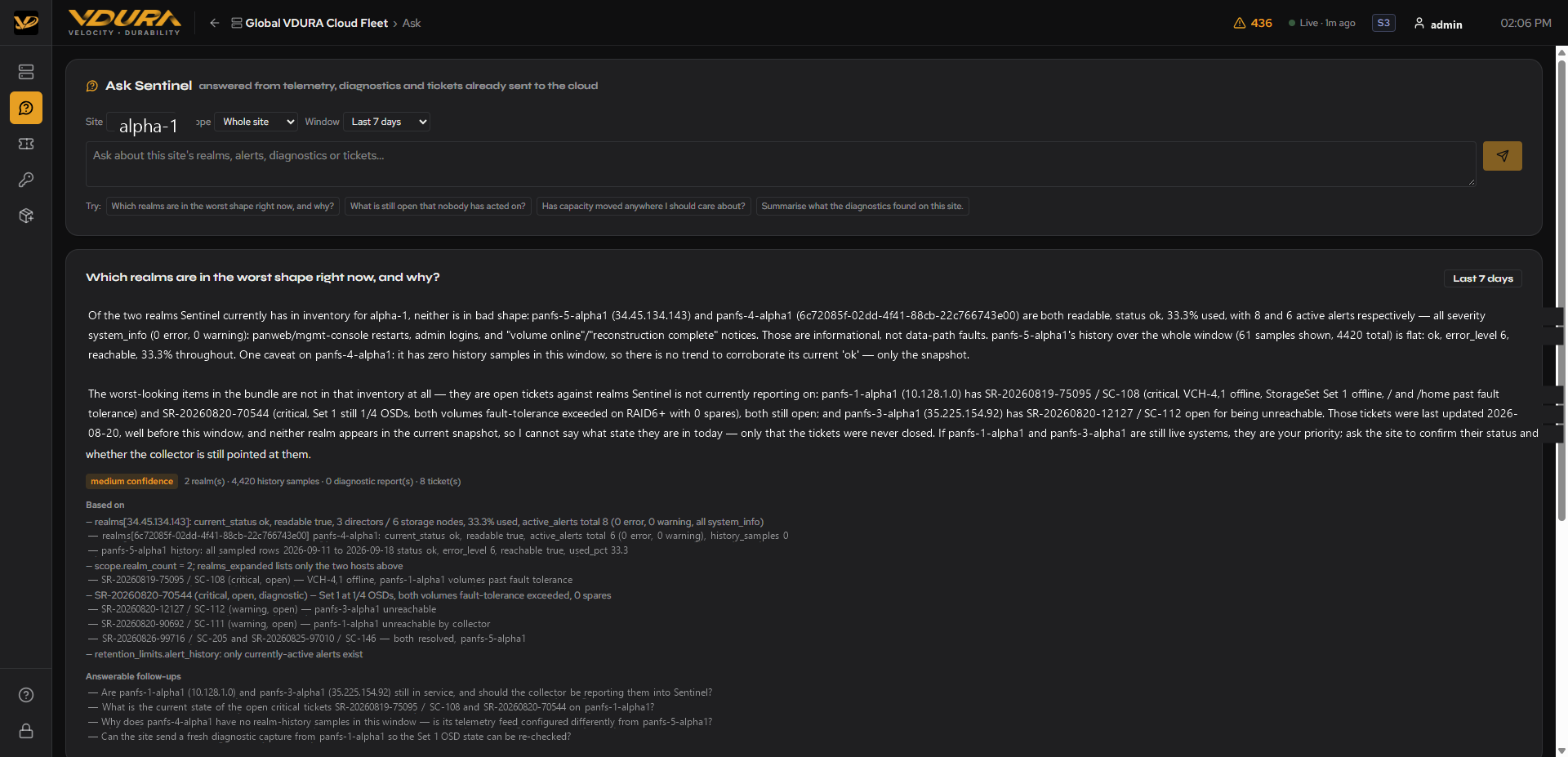 Figure 6.2. A fully answered question. Below the “Based on” citation list, note the “Answerable follow-ups” section: VDURA Sentinel also proposes specific next questions it could answer if asked (e.g. “Are panfs-1-alpha1 and panfs-3-alpha1 still in service…?”), as described above.
6.3 Recent Questions
Below the ask box, a Recent Questions panel lists previously asked questions fleet-wide, each tagged with the IP/scope it was asked about (if any) and how long ago. Click any past question to reopen its answer instantly rather than re-asking it.
6.4 Realm-Scoped Q&A
Clicking Ask or Q&A page from a Realm Detail Page opens this same page with Site and Scope pre-filled to that realm, so a question you type is automatically scoped correctly.
6.5 What Ask Sentinel Can and Can’t Answer
Ask Sentinel answers only from evidence a site has already pushed to the cloud: the fleet snapshot, realm history, completed diagnostic reports, and the ticket mirror. It never reaches out to a realm to look something up live, and it never causes a diagnostic capture to happen.
That evidence has real limits, and some questions will come back unanswerable rather than guessed at:
| Question shape | Answerable? |
|---|---|
| Current condition, open work, capacity trend, what diagnostics found | Yes |
| Realm status, reachability, or capacity over the selected window | Yes |
| Which alerts fired at a specific past time | No. VDURA Sentinel keeps no alert history, only which alerts are currently active. |
| Anything needing raw log text older than 90 days | No. Captured logs expire after 90 days; only the analysis findings are kept. |
| Anything about a realm VDURA Sentinel cannot currently read | No. A realm with no telemetry reads as “unknown,” not “healthy.” |
When a question falls into one of these gaps, the answer says so explicitly rather than reporting a confident-looking guess.
A follow-up question clicked from the “Answerable follow-ups” list (see 6.2) always stays scoped to the same realm and window as the question it followed up on, even if your own wording suggests widening it; ask a new top-level question with a different Site/Scope/Window if you want to change scope.