
9. API Explorer
The API Explorer is a realm-scoped, read-only browser for the raw data VDURA Sentinel holds about that realm, organized by category.
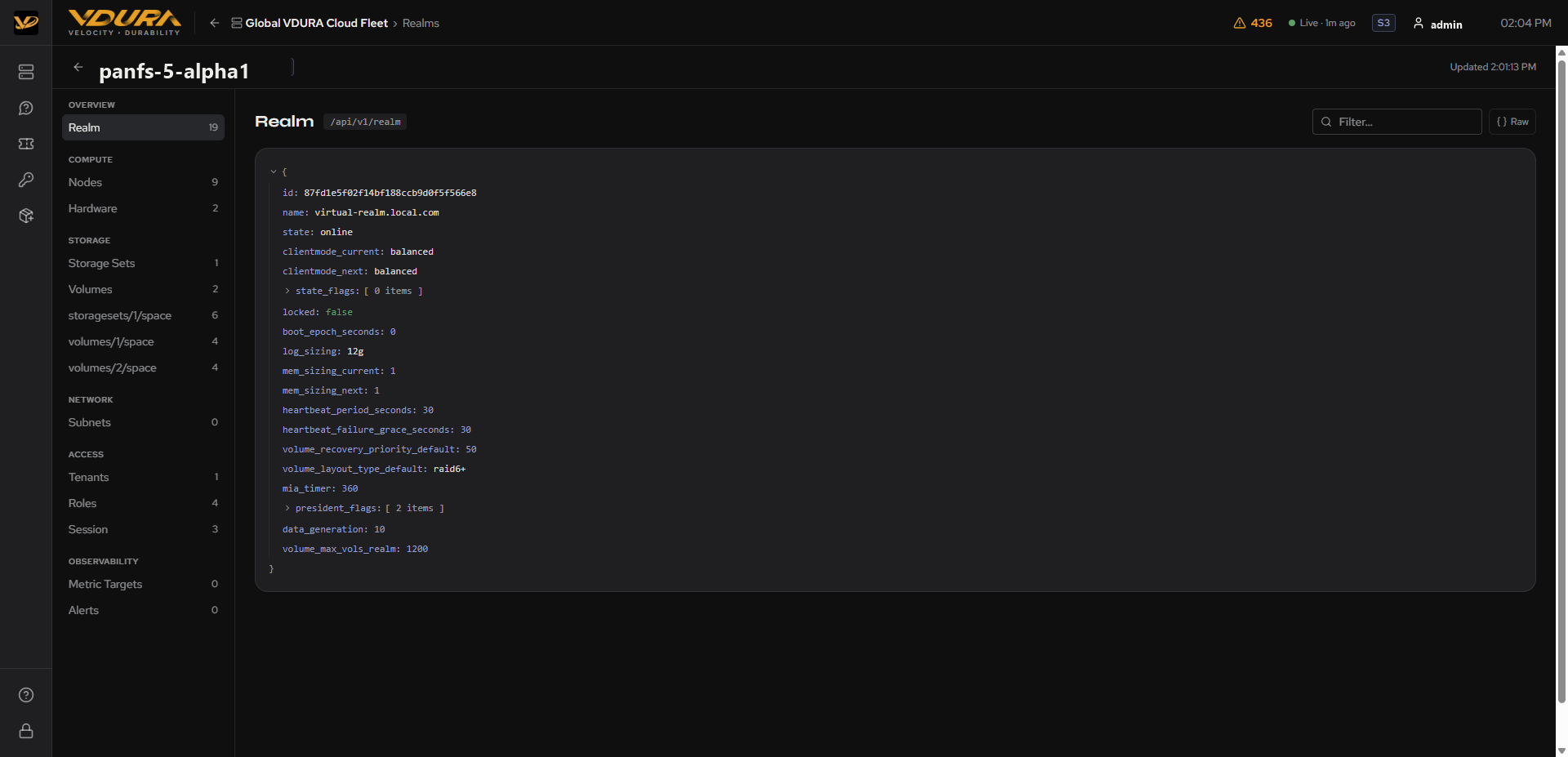 Figure 9.1. The API Explorer for a realm: category sidebar plus the JSON tree for the Realm category.
9.1 Opening the Explorer
Click Explore API data on a realm’s Detail Page header.
9.2 Category Sidebar
Categories, each with a count badge showing how many fields/rows that category has:
| Group | Categories |
|---|---|
| Overview | Realm |
| Compute | Nodes, Hardware |
| Storage | Storage Sets, Volumes, storagesets/N/space, volumes/N/space (one per set/volume) |
| Network | Subnets |
| Access | Tenants, Roles, Session |
| Observability | Metric Targets, Alerts |
9.3 Viewing and Filtering Data
The main panel shows the selected category’s data as a syntax-highlighted, collapsible JSON-style tree, labeled with its underlying API path (e.g. /api/v1/realm). A Filter… box narrows the tree to matching keys/values; a Raw toggle switches to the unformatted JSON response.
To inspect a realm’s raw API data: 1. Open the realm’s Detail Page. 2. Click Explore API data. 3. Choose a category from the left sidebar (e.g. Nodes, Alerts). 4. Optionally type in Filter… to narrow the results or click Raw to see the unformatted response.