
8. Diagnostics
A diagnostic capture is a bundle of logs and telemetry a realm’s on-site appliance has pushed to VDURA Sentinel, which VDURA Sentinel then runs through automated log analysis.
8.1 Diagnostics List
Reached via a realm’s View diagnostics → link (5.2) or its device-view Diagnostics nav item (10.6). Table columns: Label (e.g. diag-001), Severity, Result (one-line synopsis), Trigger (e.g. capture), and Captured (relative time).
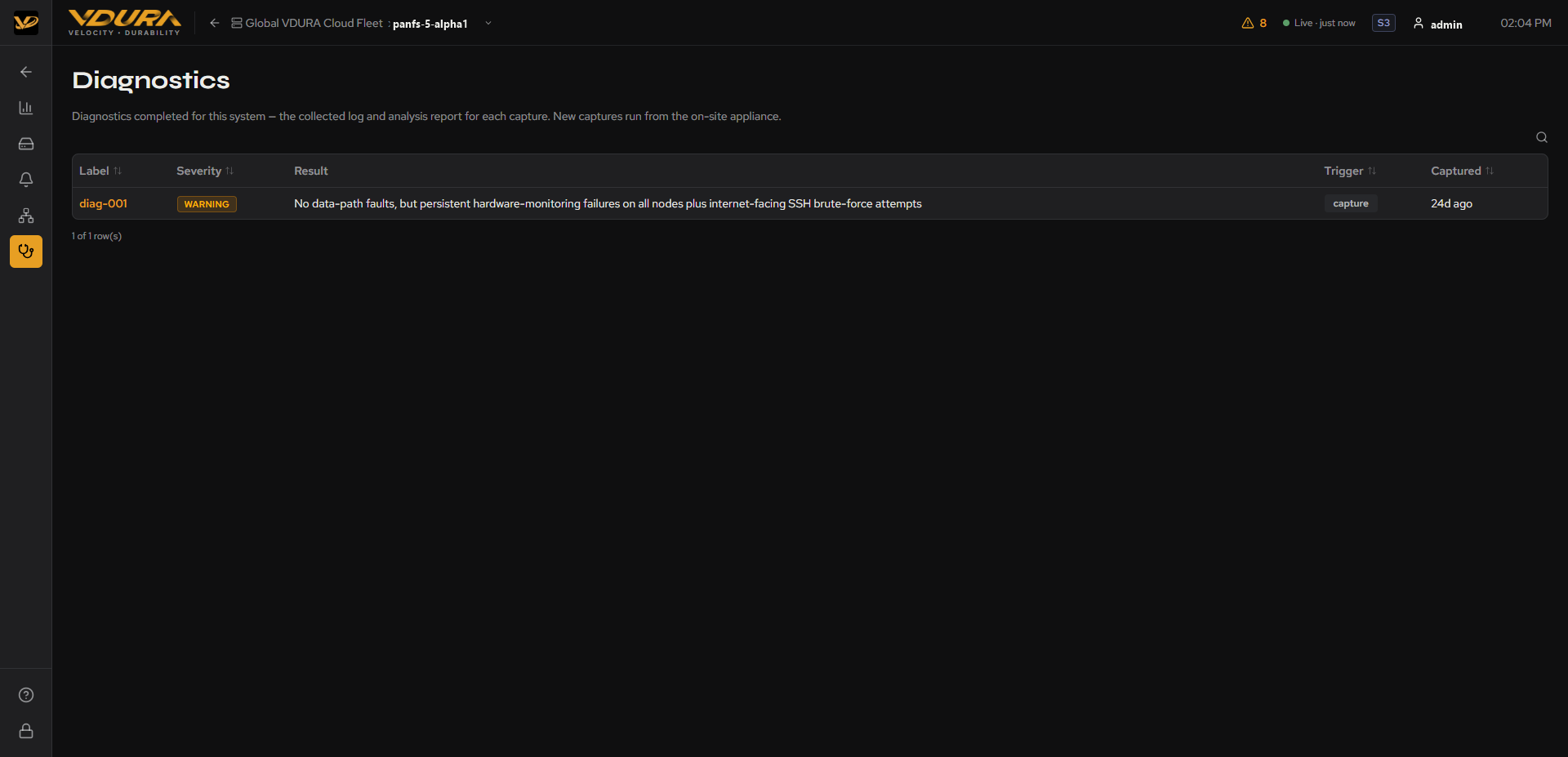 Figure 8.1. A realm’s Diagnostics list table.
8.2 Diagnostic Detail (Analysis Report)
Clicking a diagnostic’s label opens its full Analysis Report:
- A header restating the label, severity, and trigger, plus captured/analyzed timestamps.
- A top-level summary paragraph.
- A list of Findings, each with its own severity badge, a short title, a component/subsystem tag, a technical detail paragraph (log line patterns, counts, timing), and a Recommendation, a concrete suggested next step (e.g. “Open a VDURA case with a support bundle from one OSD and one director”).
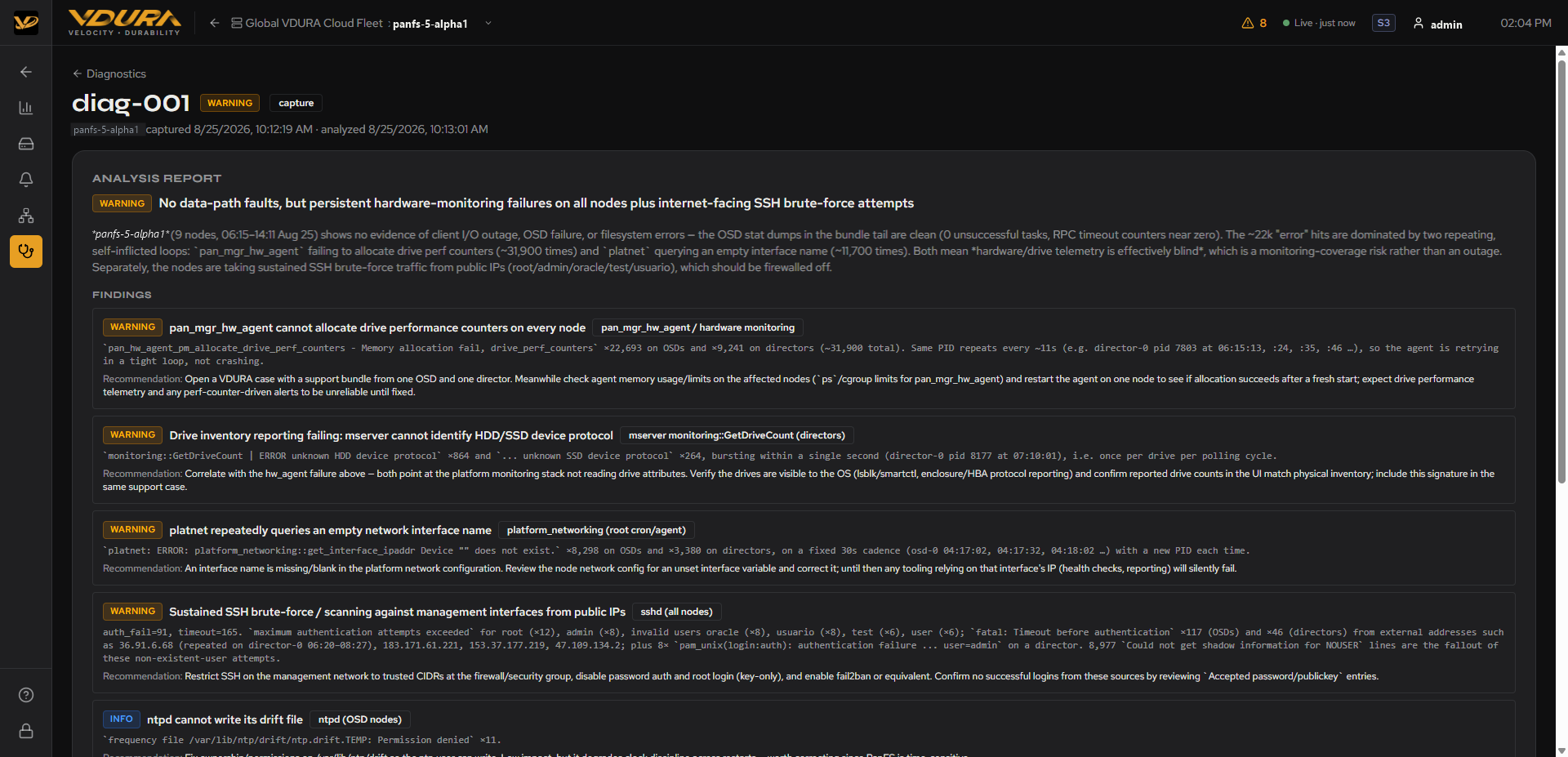 Figure 8.2. A full diagnostic Analysis Report: summary plus Findings with Recommendations.
To review a diagnostic report’s findings: 1. Open the realm’s Diagnostics list. 2. Click the diagnostic’s Label. 3. Read the summary paragraph for the overall verdict. 4. Read each Finding and its Recommendation for specific follow-up actions.
8.3 How Diagnostic Captures Work
Diagnostic captures are push-only: VDURA Sentinel cannot reach into a realm and request one on demand. A capture reaches VDURA Sentinel only when the realm’s own on-site appliance sends it, either because a customer manually triggers one from their local VDURA Sentinel GUI or automatically when a new alert fires. This is why a realm with no captures yet shows “Sentinel cannot request them” rather than a retry/refresh control (see 5.6).
Automatic capture is on by default, not opt-in. When a realm raises a critical or warning alert it has never shown before, the site’s own appliance captures and sends that realm’s logs on its own, without a person clicking anything, at most once per realm every six hours per severity. This exists specifically because VDURA Sentinel cannot ask a site for logs after the fact: without an automatic capture, a ticket for a new fault could otherwise arrive with no supporting evidence at all. A customer can narrow this to critical alerts only or turn it off entirely, from their own on-site appliance.
Every capture, whether manual or automatic, has credentials, tokens, keys, and other secrets scrubbed out before it leaves the site. Each time a customer sends one manually, they choose either Send to VDURA support, which uploads the scrubbed logs and opens a support request, or Collect logs only, which keeps the logs on the site and sends nothing. VDURA deletes uploaded log text automatically 90 days after upload; the analysis report and the support request are kept longer. Nothing is returned to the site except the support request number, as a receipt. VDURA support reads the analysis and relays the findings and recommended next steps on the support request.